

You've claimed your Google Business Profile. You've added your hours, phone number, and a nice description. You're even collecting reviews. But here's something a lot of small business owners overlook, your photos.
Photos on your Google Business Profile aren't just decoration. They're one of the first things potential customers see when they search for businesses like yours. And if your profile has zero photos (or worse, blurry ones from 2019), you're probably losing clicks to competitors who put in a little more effort.
The good news? You don't need a professional photographer or fancy equipment. You just need to know what works.
Let's break down five photo tips that can help your Google Business Profile stand out and attract more local customers.
WHY PHOTOS MATTER FOR YOUR GOOGLE BUSINESS PROFILE
Before we dive into the tips, let's talk about why this even matters.
When someone searches for a business on Google, they see a handful of options. Your listing is competing for attention with other businesses in your area. Photos give people a quick sense of what your business looks like, what you offer, and whether you seem trustworthy.
Think about it from your own perspective. If you're looking for a new coffee shop or a local plumber, you probably glance at the photos. A listing with bright, clear images of a real storefront feels more inviting than one with a single grainy logo.
Google also rewards active profiles. Uploading fresh photos regularly signals that your business is alive and engaged, which can help your visibility in local search results.
So yeah, photos matter more than most people realize.

TIP 1: FOCUS ON QUALITY OVER QUANTITY
It might be tempting to upload every photo you've ever taken of your business. Resist that urge.
A handful of high-quality photos will always beat a gallery of mediocre ones. Google recommends using images that are at least 720 x 720 pixels, and ideally, your cover photo should be around 1332 x 750 pixels. But beyond the technical specs, what really matters is clarity.
Here's what to aim for:
- Good lighting. Natural light works best. Avoid harsh shadows or overly dark images.
- Sharp focus. Blurry photos look unprofessional. Take your time and make sure the subject is in focus.
- No heavy filters. Google prefers authentic images. Skip the dramatic Instagram filters.
You don't need a professional camera. Most modern smartphones can take great photos if you pay attention to lighting and framing. Just take a few extra seconds to make sure the shot looks clean.
TIP 2: SHOW YOUR TEAM (AUTHENTICALLY)
People like doing business with people, not faceless companies. One of the easiest ways to build trust is by showing the humans behind your business.
Team photos don't need to be stiff corporate headshots. In fact, candid shots often work better. Think about:
- Your team working together
- Staff interacting with customers (with permission, of course)
- Behind-the-scenes moments that show your company culture
These kinds of photos make your business feel approachable. They give potential customers a sense of who they'll be dealing with before they even walk through the door or pick up the phone.
A quick tip: rename your image files before uploading. Instead of "IMG_4532.jpg," try something like "plumbing-team-denver.jpg." This helps Google understand what's in the photo and can give you a small SEO boost.
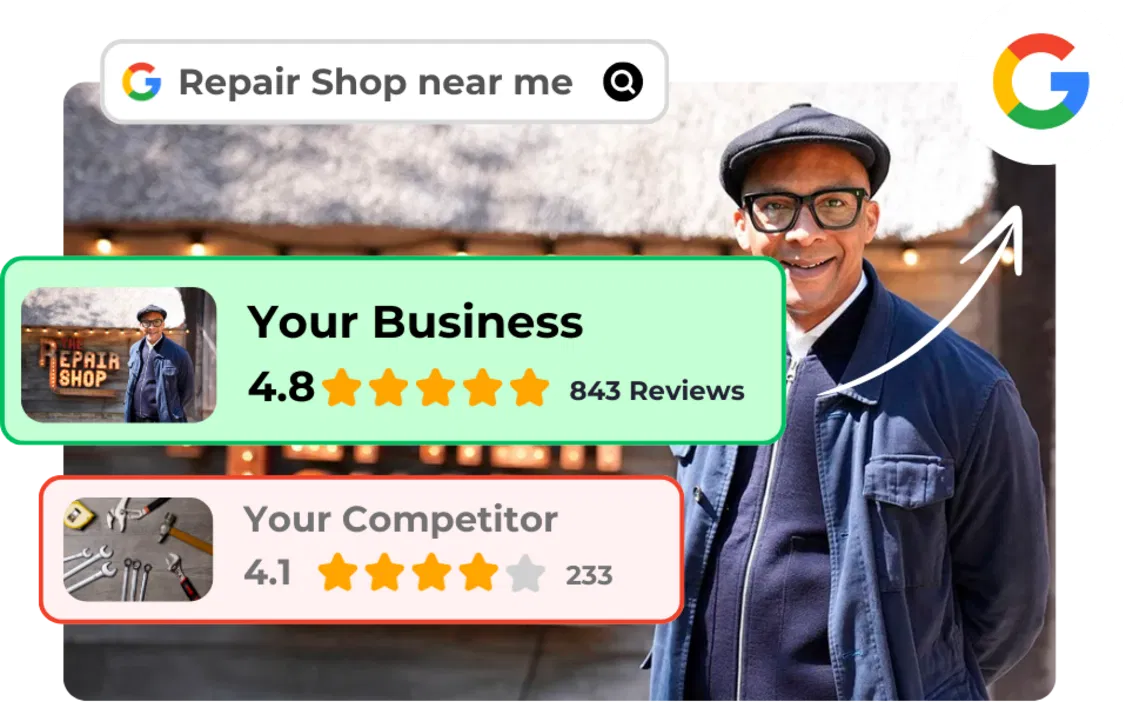
TIP 3: SHOWCASE YOUR STOREFRONT AND INTERIOR
If you have a physical location, photos of your storefront and interior are essential.
Your storefront photo helps people recognize your business when they arrive. It's especially useful for first-time visitors who might be looking for your sign or entrance. Make sure the photo is taken during the day with good visibility.
Interior photos set expectations. They show customers what the vibe is like before they step inside. Whether you run a cozy café, a sleek salon, or a busy auto shop, give people a preview of the space.
Some ideas for interior shots:
- The main area where customers spend time
- Unique design elements or decor
- Workstations or service areas
- Seating arrangements (for restaurants, waiting rooms, etc.)
If your business doesn't have a storefront: like a home service company: you can skip this one. But if you do have a physical space, don't leave it out of your profile.
TIP 4: USE BEFORE-AND-AFTER PHOTOS (WHEN IT MAKES SENSE)
This one isn't for every business, but if it applies to you, it's gold.
Before-and-after photos are perfect for service-based businesses where the transformation is visible. Think:
- Landscapers showing a yard makeover
- Contractors displaying a kitchen renovation
- Detailers revealing a car's new shine
- Salons showcasing hair transformations
These photos do more than just look cool. They demonstrate your skills and give potential customers proof that you can deliver results.
A few things to keep in mind:
- Make sure the lighting and angle are consistent in both the "before" and "after" shots.
- Get permission before posting photos that include identifiable property or people.
- Keep the focus on the work itself: avoid cluttered backgrounds.
If your business doesn't lend itself to before-and-after shots, no worries. Focus on the other tips instead.

TIP 5: KEEP YOUR PHOTOS FRESH AND UPDATED
Uploading photos once and forgetting about them is a common mistake. Google likes to see activity on your profile, and refreshing your photos regularly is an easy way to show you're still in business and engaged.
You don't need to upload new photos every day. A good rule of thumb is to add fresh images at least once a month. This could be:
- Seasonal updates (holiday decorations, summer specials, etc.)
- New products or services
- Recent projects or events
- Updated team photos if your staff has changed
Keeping your photos current also helps customers get an accurate sense of what to expect. If your interior looks totally different than it did three years ago, it's time for an update.
Set a reminder on your calendar to review your Google Business Profile photos quarterly. It only takes a few minutes and can make a real difference.
HOW BRAND DEFENDER HELPS YOU STAY VISIBLE
Managing your Google Business Profile can feel like one more thing on an already long to-do list. Between running your business and keeping up with customers, it's easy to let things like photo updates slip through the cracks.
That's where Brand Defender comes in.
We help small and medium businesses manage their online presence: including Google reviews and profile optimization. Our tools make it easier to stay active, respond to reviews, and keep your profile looking sharp without spending hours on it every week.
If you're looking for ways to get more Google reviews without being pushy or want to learn why responding to reviews matters, we've got resources to help.

QUICK RECAP
Here's a fast rundown of the five photo tips:
- Quality over quantity – A few great photos beat a bunch of bad ones.
- Show your team – Authentic shots build trust.
- Showcase your space – Help customers know what to expect.
- Use before-and-afters – Prove your skills with visual results.
- Keep photos fresh – Regular updates signal an active business.
Your Google Business Profile is often the first impression people have of your business. A few thoughtful photos can go a long way in making that impression a good one.