

QUICK CONTEXT (WHAT “REVIEW GATING” MEANS IN 2026)
Review gating is the “pre-screen” setup where customers are asked something like:
- “How was your experience?”
- If they click Good → they get sent to Google
- If they click Not great → they get sent to a private feedback form (and never see the public review link)
For years, a lot of businesses saw this as “protecting their rating.” In 2026, it’s increasingly treated as manipulating what the public sees.
If you’ve ever thought, “I just want to avoid a public 1-star,” you’re not alone. The problem is that both regulators and platforms are now looking at process, not intent.
WHAT CHANGED: GOOGLE + FTC ARE BOTH TAKING IT SERIOUSLY
Two forces are converging right now:
1) GOOGLE IS GETTING BETTER AT PATTERN DETECTION
Google’s systems don’t only evaluate your star rating anymore. They look for signals that your review flow is “natural,” including:
- Whether review volume appears selective (only positive customers are asked)
- Whether review velocity looks too perfect (lots of reviews after “happy-path” prompts)
- Whether review sources and timing look over-optimized (template-like behavior)
In plain English: you can have a “clean” 5.0 and still look suspicious if the way you got it is abnormal.
If you want a deeper breakdown on what Google tends to track now (beyond the rating itself), this is a helpful companion read:
2) THE FTC IS TREATING “FILTERING” AS DECEPTIVE
The FTC has been increasingly clear: if your process results in the public seeing a biased sample, that can be considered deceptive.
The headline number floating around this year is $53,088 (often referenced as a “per violation” maximum in certain FTC penalty contexts). The practical takeaway isn’t the exact math, it’s the direction:
- “Selective review collection” is no longer a gray-area tactic
- Regulators care about whether consumers are being misled by “only-the-good-stuff” systems
This is why review gating is becoming less of a “marketing hack” and more of a compliance risk.
WHY A “PERFECT 5.0” CAN ACTUALLY REDUCE TRUST
A surprising shift in buyer behavior: people are getting skeptical of perfection.
A profile with:
- 4.6–4.9 average
- Recent reviews each month
- A handful of normal “not perfect but handled well” comments
…often reads as more believable than a spotless 5.0 with glowing, repetitive language.
Here’s what tends to create doubt (even if your business is excellent):
- Only raves, no variety (“Does nobody ever have a minor issue?”)
- Same phrasing across reviews (“This sounds coached”)
- No recent activity (“Are they still operating like this?”)
The goal isn’t “get worse reviews.” It’s to build a review profile that looks like a real business serving real people.
If you want a simple benchmark mindset for steady review growth, this article pairs well with today’s topic:
WHAT A “SHADOW-BAN” LOOKS LIKE (PRACTICALLY)
“Shadow-ban” gets used a lot, so here’s what people usually mean in the Google Business Profile context:
- Reviews get left… but don’t stick
- Reviews post… but disappear later
- Your profile seems to plateau (calls, clicks, direction requests)
- You request reviews normally, but conversion drops for no obvious reason
You may not get a dramatic warning email. Instead, you just notice things feel “off.”
COMMON SIGNS YOU SHOULD AUDIT YOUR REVIEW FLOW
Check for these patterns:
- A sudden change in how many reviews “show up”
- Reviews not appearing for days/weeks even though customers swear they posted them
- A heavy concentration of 5-star reviews with minimal text (or very similar text)
- Your review requests only go out after a “happy” confirmation step
If reviews are disappearing, this guide can help you troubleshoot what’s happening and what to adjust:
THE SAFE WAY TO ASK EVERY CUSTOMER (WITHOUT FEAR)
If you want to stay on the right side of both Google and regulators, your review process should be simple:
THE COMPLIANT “EVERYONE GETS THE SAME ASK” MODEL
- Ask every customer (not just happy ones)
- Use the same message and same link path
- Don’t block, divert, or “route away” unhappy customers from public platforms
That’s the big rule: no selective routing.
BUT WHAT ABOUT CUSTOMER SERVICE ISSUES?
You can still collect private feedback, you just can’t use it to decide who gets to review publicly.
A clean structure looks like:
- Step 1: “Would you leave us a review?” (everyone gets this)
- Step 2 (separate, optional): “Anything we could do better?” (private feedback channel)
Same review opportunity for all. Private feedback remains available for anyone who wants it.
WHAT TO DO IF YOU’RE CURRENTLY GATING (A PRACTICAL CHECKLIST)
If your current setup uses a “good/bad” split, here’s a straightforward way to unwind it.
1) MAP YOUR CURRENT FLOW (NO JUDGMENT, JUST CLARITY)
Write down exactly what happens:
- What message goes out?
- What link do they click?
- Are there buttons like “Happy/Unhappy”?
- Do unhappy customers get a different destination?
If the destination changes based on sentiment, that’s gating.
2) SWITCH TO ONE REVIEW PATH
Aim for:
- One request message
- One main review link (Google or your preferred platform)
- No “qualifier” screen before the review link
3) KEEP PRIVATE FEEDBACK, JUST DON’T USE IT AS A FILTER
Private feedback is helpful when it’s:
- Offered to everyone
- Not positioned as the “only” option for unhappy customers
- Not used to keep negative experiences off public platforms
4) TRAIN YOUR TEAM ON WHAT NOT TO SAY
Even without software, gating can happen verbally. Avoid scripts like:
- “If you can leave us a 5-star, here’s the link…”
- “Let us know privately if it wasn’t perfect.”
- “Only share it publicly if you loved it.”
Instead:
- “If you have a minute, would you share your experience in a Google review? Here’s the link.”
5) IMPROVE THE REQUEST TIMING (THIS MATTERS MORE THAN MOST PEOPLE THINK)
The safest, most effective time windows tend to be:
- Right after service completion
- Right after delivery/install
- Right after an appointment when satisfaction is freshest
For SMS timing and wording ideas that don’t get weird or pushy, this is useful:
EXAMPLE COPY: SIMPLE REVIEW REQUESTS THAT DON’T “FILTER”
Here are a few compliant-friendly templates you can adapt.
SMS (SERVICE BUSINESS)
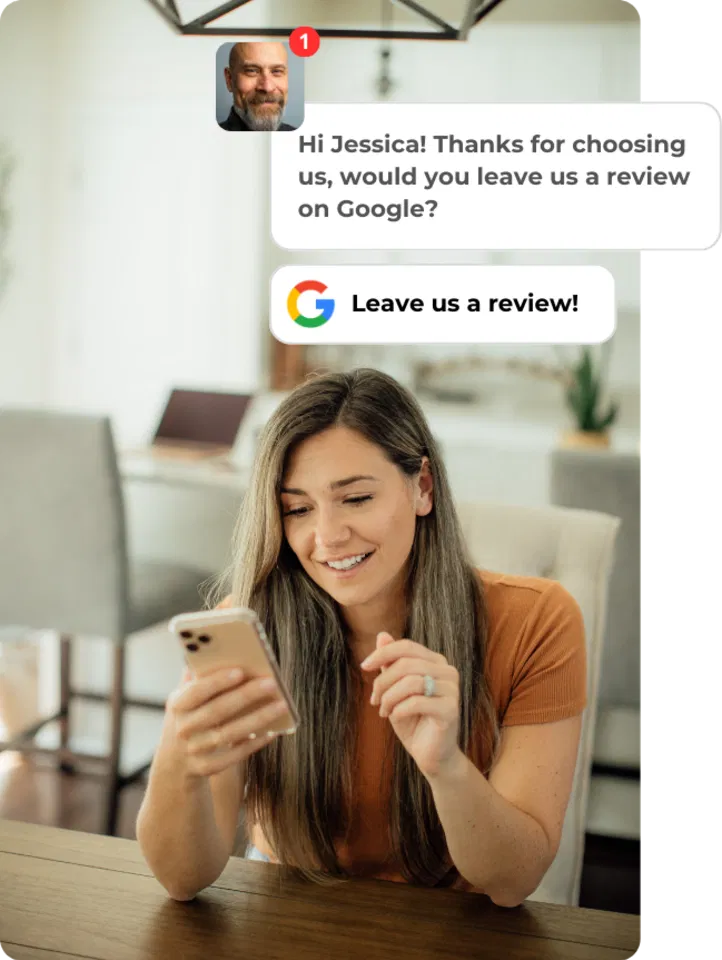
- “Thanks again for choosing us today. If you have a minute, would you leave a quick Google review? It helps a lot: [link]”
SMS (LOCAL SHOP)
- “Appreciate you stopping by today. If you’d share a review of your visit, we’d be grateful: [link]”
EMAIL (B2B / PROFESSIONAL)
- “Thanks for working with us this week. If you’d be open to leaving a Google review about your experience, here’s the link: [link]”
IN-PERSON (VERBAL)
- “If you don’t mind, could you leave us a review when you get a second? I can text you the link.”
Note what’s missing:
- No “only if you’re happy”
- No rating request
- No detours
RELATED “RISKY” TACTICS TO AVOID (QUICK REMINDERS)
Review gating isn’t the only thing being watched more closely.
DISCOUNTS OR GIFTS FOR REVIEWS
Incentivizing reviews (especially without disclosure) can create compliance issues and platform violations. If you’re unsure where the line is in 2026, this article breaks it down:
COPY/PASTE RESPONSES THAT LOOK AUTOMATED
Even if your reviews are legit, repetitive responses can look “manufactured” to Google and to customers reading them.
ANONYMOUS OR LOW-DETAIL REVIEWS
A profile full of vague, low-detail reviews can raise eyebrows. If you’re seeing this pattern, here’s what to do:
WHERE TO READ THE FULL BREAKDOWN (WITH EXAMPLES)
If you want the full “what counts as gating,” why it’s being flagged, and what a safe alternative looks like step-by-step, the complete article is here:
- Is Review Gating Actually Bad? The Truth About Google and FTC Rules in 2026
https://branddefender.co/is-review-gating-actually-bad-the-truth-about-google-and-ftc-rules-in-2026
IF YOU WANT A QUICK SELF-AUDIT (5 MINUTES)
If you’re unsure whether your current process counts as gating, answer these:
- Do customers ever see different options based on “happy vs unhappy”?
- Does your system “protect” your public profiles by routing unhappy people elsewhere?
- Do you ask for reviews only after someone indicates satisfaction?
- Are negative experiences pushed into private channels instead of being offered the same review opportunity?
If any of those are “yes,” it’s worth adjusting now: mostly because it’s easier to fix the process than to troubleshoot the downstream damage later.
BRAND DEFENDER NOTE (WHAT WE HELP WITH: WITHOUT THE HYPE)
At Brand Defender, we help businesses build a review process that’s:
- Consistent (everyone gets the same request)
- Automated (so it actually happens every week)
- Trackable (so you can see request volume vs posted reviews)
- Built to reduce “weird signals” that trigger platform scrutiny
More info is here if you want to see what we mean (no pressure: just details):

P.S. (FOR ANYONE USING “PRE-SCREENING” RIGHT NOW)
If your current review tool has a “rate us first” screen, or a “happy/unhappy” split before Google, it might be worth a quick audit.
Even a small tweak: removing the split and standardizing the request: can reduce risk and make your review profile look more natural over time.